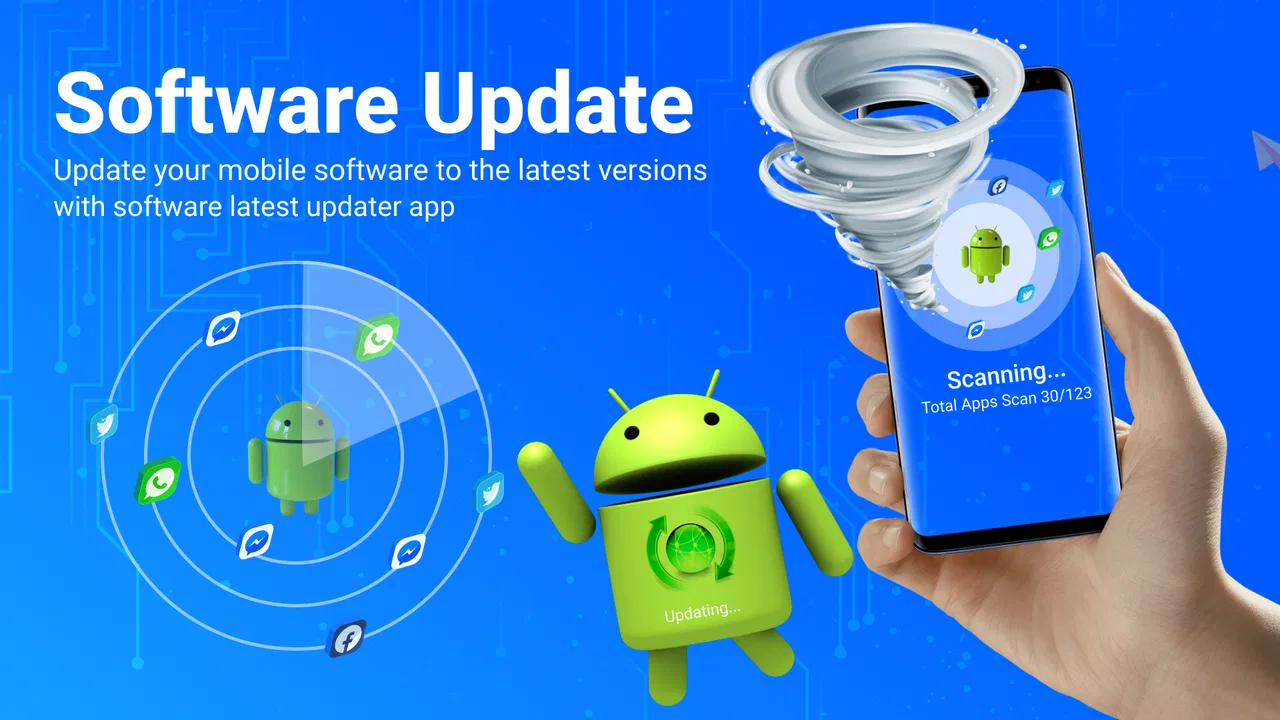
Software Update System Update
- 4.3
- Rating
- 100.00K
- Installs
- Free
- Price

 Analysis by App-foxy
Keeping Android software current sounds simple until a phone has several apps, an aging system, and updates arriving at different times. Software Update System Update from MMK Apps Studio is built around that everyday problem: giving you one place to check whether the operating system and installed apps may need attention. I found its main value less in replacing Android’s own update tools and more in making the checking process easier to remember and easier to understand.
This is a free utility in the Libraries & Demo category, rated for Everyone. It has reached over 100 thousand installs and holds a 4.3 average from more than 300 ratings, which suggests that its straightforward purpose is appealing to a sizeable group of Android users. The current version is 4.2.4, and it works on Android 7.0 or later. Optional in-app purchases range from $0.49 to $13.99 per item, so I would still treat the free experience as the starting point before deciding whether any extras are worthwhile.
One update check instead of scattered reminders
The app’s most useful capability is its update-focused overview. Rather than making me remember separate places for system maintenance and app maintenance, it turns the phone’s update status into a task I can inspect when I choose. That matters for people who do not regularly open the Play Store or the phone manufacturer’s settings menu.
You May Also Like

 Blood Strike: 2.5 Anniversary
Blood Strike’s Loadouts Turn Every Drop Into a Tactical Gamble
A close look at Blood Strike’s custom loadouts: how fast access to signature weapons reshapes its battle royale rhythm, rewards preparation, and narrows the gap between fights.

 Pandora - Music & Podcasts
Pandora’s Music Is Easy to Start, but Harder to Recover
Pandora’s strength is its low-effort path from a seed to a station. Its weak spot is how much confidence it asks you to place in connection, setup, and quiet recovery.

 8 Ball Pool
 Is Built on Rivalries, Rematches, and Routine
A close look at the rivalries, rematches, shared routines, and unanswered safety questions that turn a quick pool match into a persistent mobile community.

 Samsung Music
’s Quiet Strength Is Playing What You Already Own
Its reach comes less from spectacle than from dependable access to a personal library. That simplicity is both the app’s strongest retention engine and its ceiling.

 AccuWeather: Weather Radar
AccuWeather Review: A Quick, Clear Forecast for Everyday Decisions
For everyday plans, the best forecast is the one you can understand quickly. AccuWeather makes rain timing, radar, and local conditions easy to act on, with a few trade-offs.

 Hill Climb Racing
Why Hill Climb Racing Still Turns Crashes Into One More Run
A tiny car, a bumpy hill and one more upgrade: Hill Climb Racing keeps resurfacing because its simple chaos makes every near-miss feel personal.
More From Our News Desk



There is an important distinction here. A tool like this does not magically create a newer Android release for a phone, and it cannot make an update available when the manufacturer or app developer has not published one. Its practical role is discovery and organization. It helps point my attention toward software that may deserve checking, while the actual installation still depends on Android, the device maker, and the relevant app store or system screen.
I especially like this framing because it avoids a common misunderstanding about update utilities. The benefit is not that the phone suddenly becomes faster after opening the app. The benefit is that maintenance becomes visible. If I am helping a relative who keeps postponing updates, a clear update-oriented screen is easier to explain than a tour through several settings pages.
What the capability changes in daily use
On a phone that has been used for years, updates can become easy to overlook. Notifications get dismissed, storage warnings interrupt the process, and an owner may not know whether a message concerns an app or the operating system. A dedicated checker gives me a repeatable routine: open it, review what appears relevant, then continue through the official route for the update itself.
That routine is also useful after setting up a second-hand phone. Before installing new apps or relying on the device for banking, travel, or work, I can use the app as a first maintenance check. It does not replace a full security review, but it gives me a practical prompt to investigate whether the phone and its apps are being kept current.
Another less obvious use is troubleshooting. When an app behaves strangely, people often jump straight to clearing data or reinstalling it. I would first check whether the app or the operating system is behind. An update may not solve every problem, but confirming the software state is a sensible early step and can prevent unnecessary resets.
How I would use it in practice
I would not leave the app open waiting for a change. Instead, I would use it as a periodic checkpoint. After opening it, I would separate three questions: is the phone’s system current, are individual apps waiting for updates, and does any item require me to continue elsewhere? That last question is important because an update checker is most useful when it clearly leads to the next action rather than suggesting that the checker itself controls every installation.
For a personal phone, a quick check before a trip is a sensible habit. Travel often exposes outdated apps at the worst moment: a ticketing app may fail to load, a map app may behave unpredictably, or a communication app may request an update when connectivity is limited. Checking in advance does not guarantee perfect performance, but it reduces one avoidable source of trouble.
I would also use it before handing a phone to a child or an older family member. The Everyone age rating makes the app approachable for a broad audience, and the focused purpose is easier to communicate than a general “phone cleaner” application. The key instruction would be simple: use this to find what needs checking, but read the Android or store confirmation carefully before approving anything.
For users with limited mobile data, the app should be treated as a planning aid rather than a reason to download immediately. I would check over Wi-Fi, review the size and destination shown by the official update screen, and postpone large downloads if necessary. The app can help me notice an update, but it does not remove the practical cost of downloading it.
A realistic everyday scenario
Imagine I am preparing an older Android phone for a parent who mainly uses messaging, photos, maps, and video calls. The phone still works, but several applications have not been reviewed for months. I open Software Update System Update to create a maintenance checklist instead of searching through settings one by one.
First, I inspect the system update path and note whether Android offers anything for that device. Then I review the app update situation and handle the most important applications first, particularly communication and navigation tools. If the phone has little free space, I do not blindly start everything. I remove unneeded downloads, connect to reliable Wi-Fi, and return to the official update screen.
The useful result is not a dramatic transformation. It is a clearer order of operations. I know which checks to make, which updates deserve priority, and where the final approval happens. For a family member who is uncomfortable with technical menus, that structure can be more valuable than a long list of advanced controls.
Where it is better than the usual alternatives
The usual alternative is to rely entirely on Android settings and the Play Store. That approach is perfectly adequate for confident users, and it has an important advantage: those tools are built into the operating system or the official app distribution channel. They are the right places to confirm and install updates.
This app is more useful when the problem is remembering where to look. Its focused presentation can act as a front door to maintenance, especially for someone who finds system menus confusing. It is also less distracting than a broad phone-optimization app that combines cleaning, boosting, security claims, and update prompts in one crowded interface.
On the other hand, experienced Android users may gain little. If I already check system updates manually and keep automatic app updates configured to suit me, another layer can feel unnecessary. In that situation, the built-in tools are simpler because they remove an extra app from the phone and keep the process closer to the source.
I would be cautious about comparing it with manufacturer support applications. A phone maker’s own utility may provide device-specific diagnostics or support guidance that a general update checker cannot match. If the issue concerns firmware, a locked boot process, or a manufacturer-specific rollout, I would trust the phone maker’s settings and support channels first.
The trade-offs I noticed
The first trade-off is expectation. The name may lead some people to believe that every update can be installed directly from this app. I would approach it as a discovery and access aid, not as an independent update authority. The phone’s model, Android release, manufacturer policy, app store, and rollout schedule still determine what is actually available.
The second is duplication. Android already provides update locations, so installing another utility means accepting one more app to maintain. That is reasonable if the app makes the process clearer for you, but less attractive if your goal is to minimize software. I would not recommend it solely because the phone feels slow; updates can help with compatibility and security, but they are not a guaranteed performance cure.
The third concerns optional spending. The app is free to start, yet it includes in-app purchases priced from $0.49 to $13.99 per item. I would inspect the app carefully before paying for anything and ask whether the added value solves a real problem for me. A purchase should not be necessary simply to understand the basic update status.
There is also a human trade-off: a prominent update prompt can encourage rushed decisions. I prefer to verify the app name, the destination, the network connection, and the requested storage before proceeding. This is particularly important on shared phones, older devices, or phones with limited space. A good maintenance habit includes checking what will happen next, not only pressing the first available button.
Finally, update availability can vary by device. Two phones running the same broad Android generation may not receive the same system release at the same time. I would therefore judge the app by how well it helps me check and navigate the process, not by whether it can overcome manufacturer limits. That distinction keeps the experience useful and prevents disappointment.
Who gets the most from it
The strongest audience is made up of Android users who want a simple maintenance reminder without adopting a full “optimizer” suite. It is also a good fit for people who manage phones for relatives, prepare older devices for everyday use, or regularly switch between several Android devices. In those cases, a consistent update-checking routine has real practical value.
It can also help less technical users who understand that updates matter but do not know where to begin. The app’s narrow purpose gives them a starting point, while the final update process remains connected to the phone’s normal system or app-store controls. I would recommend explaining that relationship rather than presenting the app as a replacement for Android.
Users who should skip it are those who already have a reliable routine and dislike duplicate utilities. If you are comfortable checking the Play Store, navigating system settings, and interpreting manufacturer update notices, the built-in options may be all you need. I would also skip it if you expect automatic repair, guaranteed speed improvements, or a way around an unsupported device.
Because the app supports Android 7.0 and later, it is relevant to a broad range of devices, including older phones that may not offer the newest system features. That broad compatibility is helpful, but it does not mean every compatible phone will receive current Android releases. The app can organize the check; it cannot change the support life of the hardware.
My recommendation after using it
I see Software Update System Update as a focused convenience tool rather than an essential system component. Its best verified capability is straightforward: helping users stay aware of system and app update tasks. That sounds modest, but it addresses a real weakness in everyday phone ownership—people often know updates are important and still forget to check them.
My recommendation depends on your habits. If update menus feel scattered, or you regularly help someone else maintain an Android phone, I think the app is worth trying in its free form. Use it as a checklist, confirm actions through the official Android or app-store screen, and avoid treating every prompt as an instruction to download immediately.
If your phone already handles updates automatically and you are comfortable reviewing them yourself, the extra layer may not justify the space or the optional purchases. In that case, Android’s built-in tools remain the cleaner choice. For everyone else, the app offers a practical middle ground: a clearer maintenance routine without pretending to control updates that only the device maker or official store can provide.
MMK Apps Studio has kept the idea focused, and that focus is the reason I would recommend it to the right person. It is not a performance booster, a repair service, or a guarantee of newer firmware. It is a simple way to remember where software maintenance begins, and for an overlooked task like that, simplicity can be genuinely useful.
FAQs for Software Update System Update
01What is the Software Update System Update app used for?
The Software Update System Update app is designed to keep your device's software up-to-date. It scans for the latest available updates for your operating system and installed applications, ensuring that you have the most recent features, security patches, and performance improvements. This helps maintain optimal device functionality and security.
02Is the Software Update System Update app safe to use?
Yes, the Software Update System Update app is safe to use. It sources updates directly from your device's manufacturer or official app developers, ensuring authenticity and security. However, it is always recommended to download such apps from trusted sources like the Google Play Store or Apple App Store to avoid any potential security risks.
03Will using the Software Update System Update app erase my data?
Typically, updating your software through the Software Update System Update app should not erase your data. However, it's always a good practice to back up your important data before proceeding with any updates. This ensures that your information is safe in the unlikely event of an update failure or data loss.
04How often should I use the Software Update System Update app?
It's advisable to use the Software Update System Update app regularly, at least once a month, to check for any available updates. Regular updates ensure that your device runs smoothly with the latest security patches and features. Enabling automatic updates can also help in maintaining your device without manual intervention.
05Why is my device not finding any updates using the Software Update System Update app?
If your device isn't finding any updates, it could be due to several reasons. Your device might already be running the latest version, or there could be connectivity issues. Ensure you have a stable internet connection and sufficient battery life. Also, check if your device's model is still supported by the manufacturer for updates.
Pros
- Easy-to-use interface for all users.
- Supports a wide range of devices.
- Automatic update notifications.
- Secure download process.
- Detailed update logs available.
Cons
- May consume significant battery life.
- Some updates may take a long time.
- Occasional compatibility issues.
- Requires stable internet connection.
- Limited customization options.

Software Update System Update
Gallery